See the whole picture.
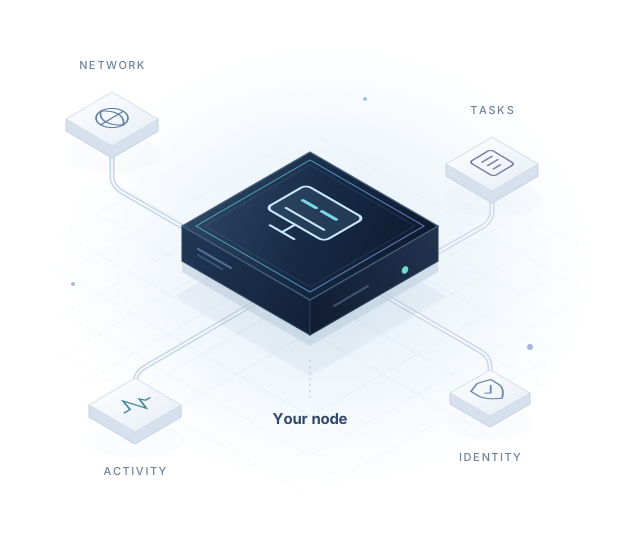
A dedicated workspace for each device, with its own tasks and account activity.
+A NEW POINT OF CONNECTION
Meet your node’s new home. Manage tasks, stay in control, and keep every device’s activity in view — with Apex Routing for Windows.
Made for Windows 10 / 11
01 / EVERYTHING, IN YOUR VIEW
From the first sign-in to your next task, keep the details that matter close at hand.
Review available tasks and choose manual selection or automatic task handling.
Follow your device’s activity and transaction history from one place.
Illustrative interface. No live account or earnings data.
A dedicated workspace for each device, with its own tasks and account activity.
Choose the task mode that fits the way you work. Settings stay in your hands.
Track transaction states and continue an unfinished transaction from its original record.
02 / A SIMPLE WAY IN
Download the lightweight installer and choose your language. A familiar setup gets you to your workspace.
Create an account or sign in from the app. Device verification runs as part of the setup.
Review activation requirements and available tasks in the app, then select manual or automatic task handling.
FROM YOUR DEVICE, FORWARD
One account can bring several devices together. Each keeps its own identity and records.
Individual identity · Connected experience03 / CONFIDENCE, BUILT IN
A device is more than a session. Apex Routing connects access to device-held keys and keeps transaction recovery tied to its original record.
Keys protected by Windows help your device prove its identity. Hardware protection is preferred when available; admission follows the platform’s device policy.
If a transaction is interrupted, the app retains the original recovery record to check its status and continue the same transaction.
Choose your task mode in the client and review account activity and transaction states before your next action.
YOUR NEXT CONNECTION STARTS HERE
Apex Routing for Windows. One lightweight app, with room for every part of your node.

The lightweight edition uses Microsoft Edge WebView2 already on your PC. If it is missing, the installer provides instructions. An edition with the runtime included will be available later.
Select the downloaded ZIP or extracted EXE to compare. Verification runs on your device; your file is never uploaded.
04 / A FEW THINGS TO KNOW
The current app is available for 64-bit Windows 10 and Windows 11. Download the lightweight edition above; the installer checks the required runtime.
Yes. An account can have multiple devices. Each device has its own identity, tasks, and account records; balances are not copied between devices.
The app handles device verification during setup. Access depends on the platform’s device policy. If setup cannot finish, follow the message shown in the app or contact your administrator.
No. Task availability, activation requirements, eligible activity, and settlement rules determine results. Review the current terms shown in the app before activating or taking a task.
Keep your existing app data. Apex Routing retains the original transaction record so the app can check its status and recover it. Do not create a duplicate payment to replace an uncertain transaction.
The current installer preserves account, device identity, and recovery data when upgrading. Close the app from its tray menu before installing the new version.